Undergraduate Academic Advising Center

Advisors in the Undergraduate Academic Advising Center (UAAC) support students as they navigate their academic journey from orientation through graduation.

Our advisors assist with course planning, major exploration, understanding degree requirements and academic policies, and connecting students to campus resources.

We encourage students to meet with an advisor regularly to stay informed, make thoughtful decisions, and stay on track toward graduation.

As Academic Advisors our role is to guide you through your academic journey. Some of the services we can help you with are:

  • Course Registration & Schedules Changes
  • Major/Minor Exploration
  • Degree Planning
  • Study Abroad Course Selection
  • General Academic Concerns

Make an Appointment

All students are welcome to meet with an academic advisor.
Book an appointment

Frequently Asked Questions

If you’re looking for guidance, our advising team is here to support you every step of the way. You can can always schedule an appointment or explore our Frequently Asked Questions for helpful answers to many of the things students ask most often—from getting in touch and making appointments to planning your courses, understanding requirements, and staying on track toward graduation.

How do I make an advising appointment?

You can schedule an advising appointment in one of three ways:

  • Schedule your appointment online through Navigate
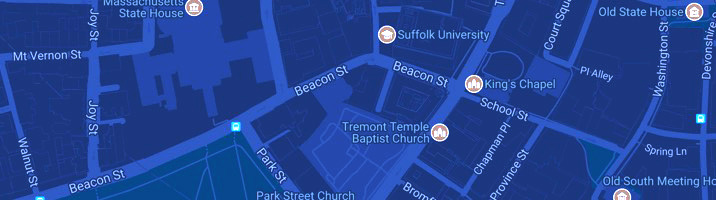
  • Visit our front desk on the 9th floor of 73 Tremont Street, Monday through Friday
  • Call 617-573-8034 to schedule an appointment, Monday through Friday

Resource: Learn More About Scheduling an Appointment with Navigate [PDF]

Will my appointment be in person or on zoom?

You can choose either modality. We offer both in person and zoom appointment options throughout the school year. The Advising Center is open for appointments throughout the Summer as well.

How should I prepare for an advising appointment?

Preparing in advance helps you make the most of your advising time.

Before your appointment, review your Workday Academic Progress Report and make a list of questions or topics you want to discuss. We recommend bringing a laptop and something to take notes with.

Do I need an appointment to meet with an advisor in the Undergraduate Academic Advising Center?

We strongly recommend scheduling an appointment so your advisor can review your academic record in advance and be better prepared to discuss your specific goals, requirements, and questions. Appointments allow for a more focused, thorough conversation and help ensure you receive accurate, personalized guidance.

During high-traffic periods such as Add/Drop Week and Priority Registration, we offer drop-in hours (typically 9 a.m. – 3 p.m.) on a first-come, first-served basis. However, availability may vary each term.

For the most up-to-date information about drop-in hours, important dates, and deadlines, please follow the Suffolk University Academic Advising Center on Instagram at @suffolk_academicadvising.

Who is my academic advisor?

Your assigned advisor is listed in Workday. Go to your Academic Hub, select the Academic Overview tab, and look under Important contacts. You can also look up their contact information through the directory on the Suffolk website.

We encourage you to build a relationship with your assigned faculty advisor. If you have additional advising questions after meeting with your faculty advisor or major department, you are always welcome to schedule a meeting with the UAAC as well.

How can I prepare for Priority Registration Week?

  • Review your Academic Progress report in Workday
  • Meet with your faculty advisor/major department before registration begins
  • Review the academic calendar for important dates and deadlines
  • Create a saved schedule in Workday, including backup options. Your “saved schedule” is a wish list, not classes you have enrolled in
  • Check the “My Holds” section of Academics Hub in Workday for any holds that may prevent you from registering
  • Register on your assigned registration day, listed in Workday as your “Registration Appointment” on the Academic Hub
  • Check your Suffolk e-mail regularly for important directions and updates regarding registration

What is the difference between a saved schedule and my enrolled courses?

A saved schedule is a planning tool or wish list of the courses you intend to register for. Adding a course to your saved schedule does not reserve a seat in that course.

To officially enroll, you must make sure all holds are cleared. You can then log in to Workday at your assigned registration appointment date and time and select “Start Registration” to complete your enrollment.

Any courses listed as “My Enrolled Courses” under Current Classes are the ones in which you have successfully secured a seat. You will remain enrolled in those courses unless you choose to drop them.

If a course is listed under “My Waitlisted Courses” you have been added to the waitlist and will be notified by Workday if a spot becomes available.

Resource: Create a Saved Schedule [PDF]
Resource: Register from a Saved Schedule [PDF]

What happens if I get waitlisted for a course?

Being on a waitlist does not guarantee a spot in the course. We recommend registering for an alternate section or course that has open seats in the meantime.

If you are on a waitlist, you will need to check your Workday inbox daily for a notification that says “Course Opening Available.” You must accept your spot within 48 hours, or it will be offered to the next student and you will be removed from the waitlist.

Resource: Waitlist Management for Students [PDF]

Can my advisor register me for classes?

No. Advisors cannot register you for classes. Students register for classes through their Workday account. Advisors are here to help you prepare by reviewing degree requirements, helping you build a balanced schedule, and exploring course options before your registration appointment date.

How do I view my enrolled courses and make changes after I’ve registered?

Go to Academic Hub, Planning and Registration, Current Classes. If you are within the registration period, you will see Drop and Swap options to make changes.

Advisors can assist with schedule changes after your assigned registration day as long as changes are made before the last day to add. Finalizing your schedule early is recommended, as more course times and options are typically available when you register as soon as your registration appointment opens.

Resource: Drop a Course [PDF]
Resource: Swap a Course [PDF]

How do I know if I’m on track to graduate?

Check your Academic Progress Report in Workday: Student Profile, Academics, Academic Progress to see what requirements you have remaining. We recommend meeting with an advisor at least once per semester to review remaining requirements and ensure you’re on track.

Resource: Student Academic Progress Report [PDF]

What is the “Plan” tab in my Academics profile?

The “Plan” tab is an optional tool that lets you create an academic plan to map out the courses you’ll take each semester through graduation. You can create or update your plan in Workday: Student Profile, Academics, Plan.

The plan provides a general template of the typical course sequence for your degree. If you register for a course that’s already on your plan, it will reflect that registration. However, the plan does not automatically adjust if you take a course in a different semester than originally planned (for example, Math 128 in spring instead of fall). Because of this, it’s important to meet with an advisor regularly and update your plan as needed.

For the most accurate view of your progress toward graduation, rely on your Academic Progress report, which serves as the official degree audit.

Resource: Update an Academic Plan [PDF]
Resource: Change Primary Academic Plan [PDF]

Once I register for my last semester of classes, do I have to notify anyone that I plan to graduate?

As a senior you will receive emails advising you to apply for Program Completion through Workday. Filling out this form in Workday allows you to RSVP to commencement and triggers the Registrar’s Office to run an official degree audit to confirm that all degree requirements have been completed or will be completed by the end of your last semester.

Resource: Apply for Program Completion [PDF]

What is a free elective course, and do I need to take free electives?

All students must complete a minimum total number of credits to graduate (for example, 124 credits for BSBA and BFA degrees and 126 credits for BA and BS degrees). Free electives are courses that do not fulfill a specific major or core requirement, but still contribute to the total minimum number of credits needed to graduate.

Do transfer credits affect my GPA?

No. Grades from transfer credits do not count toward your Suffolk GPA. However, transfer credits, whether from another institution or from exams such as AP or IB, can affect your remaining degree requirements.

How do I declare or change my major?

You may change your program of study (major) through your Academics profile in Workday.

Resource: Change Program of Study [PDF]

Can I add a minor or double major?

You can add a minor through your Academics profile in Workday. Speak with an advisor to discuss how adding a minor or double major affects your graduation timeline.

Resource: Add a Program of Study [PDF]

What happens to my graduation timeline if I switch majors?

Changing majors may affect your graduation timeline depending on completed coursework, overlapping requirements, total credits, and the timing of the change. Meet with an advisor to review how switching or adding majors or minors will impact your academic plan.

Can I take more than 17 credits in one semester?

Undergraduate students may take up to 17 credits in the fall or spring as part of a normal full-time course load. To request approval for more than 17 credits, go to Workday: Academics Hub, Create Request, Excess Course Petition.

Resource: Excess Course Petition – Policy & Instructions

Can I take courses at another university?

Students may petition to take a course at another institution during interim periods between semesters (e.g. during summer and winter session). Students may not take courses at another institution during the spring or fall semesters while enrolled at Suffolk or while on a leave of absence from the University.

Submit your request in Workday: Academics Hub, Create Request, Courses at Other Institutions.

Resource: Courses at Other Institutions – Policy & Instructions
Resource: Create Request – Students [PDF]

Can I take classes at Suffolk during the summer?

Students may register for Summer classes through Workday. Speak with an advisor early about how summer courses fit into your academic plan. Additionally, summer courses are charged separately from Fall and Spring tuition. Please speak with the Ram Registration and Financial Center for more information on the costs of summer classes.

Is there a credit limit for summer?

Yes. Students may take up to 8 credits in Summer Module 1 and up to 8 credits in Summer 2. The maximum amount of credits you can take in the summer is 16.

How do I start planning to study abroad?

Attend a study abroad information session or meet individually with a Study Abroad advisor to review program options. Learn more about how to get started with study abroad.

When should I start planning to study abroad?

Students are encouraged to begin planning early, ideally two semesters before their intended term abroad. UAAC advisors can help you understand how a study abroad experience fits into your academic plan and graduation timeline.

How do courses from abroad transfer back?

After meeting with the Study Abroad office to select a program, a Study Abroad advisor will schedule a “Study Abroad Course Approval” meeting with a UAAC advisor. Bring a list of courses you hope to take, and the advisor will determine which degree requirements those courses can fulfill.

If you have general academic questions about Study Abroad before starting the application process, you can discuss them with an Academic Advisor during any other advising meeting, such as a Registration or Academic Requirement Review meeting.

Will studying abroad delay graduation?

Not necessarily. This can depend on factors such as course availability abroad, your major, the timing of your program, and which requirements you still need to complete. Core requirements are often easier to find abroad than upper-level major courses, though this can vary by program and location.

It is important to speak with an academic advisor early if you are considering Study Abroad. Advisors can help you plan ahead and will explain any potential impact on your graduation timeline before you complete your application.

What if I’m struggling academically?

Reach out to an advisor early. Advisors can help you discuss academic concerns, review progress toward graduation, explore course adjustments, and connect with other academic support services such as Academic Coaching and Tutoring.