
Congratulations on making the decision to come to Suffolk University! Orientation for international students provides an opportunity to learn all about your new home away from home.
Our City. Our Campus.
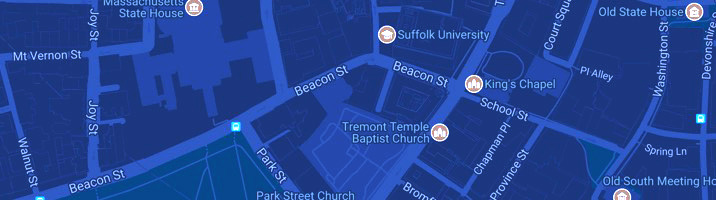
Get directions and explore our neighborhood.


Congratulations on making the decision to come to Suffolk University! Orientation for international students provides an opportunity to learn all about your new home away from home.
Students will participate in orientation as part of the onboarding process.
The deadline to register for orientation is January 4.
While orientation is mandatory for students, we highly encourage family members to attend our separate Family Orientation. You’ll be able to register your family members when you register yourself.
Congratulations again on your acceptance to Suffolk University! To help you make your way to our amazing community in downtown Boston, we’ve created a list of action items.
Orientation registration opens in late October for students starting in the spring 2027 semester.
Students who have paid their enrollment deposit will be able to register for Orientation, along with up to two family members. Attending Orientation is a mandatory part of becoming a Suffolk Ram, so make sure to reserve your spot for orientation!
Register for orientation in your applicant portal
Starting Novemeber 23, students will receive information on accessing their Suffolk University email account. Keep an eye on your personal inbox for more information on how to set up your Suffolk email.
After setting up the student's email, the University will send you information exclusively via your Suffolk email account. Checking it often is the best way to get important updates.
If you have any questions, reach out to the Information Technology Help Desk via email or phone at 617-557-2000.
Starting November 23, students will be able to make an academic advising appointment to finalize their course schedules. Click on the “Schedule Academic Advising Appointment” button in your applicant portal. You’ll only be able to do this after you’ve set up your Suffolk University email. It’s important to book your appointment by December 16. Appointments will continue to be booked after December 16 but we recommend the scheduling as soon as possible to ensure you get to meet with Academic Advising prior to Orientation.
Please note: The University will be closed for Winter Break from December 23 - January 3.
To help your appointment run smoothly:
If you have any questions, reach out to Undergraduate Academic Advising via email or phone at 617-573-8034.
Suffolk’s International Student Services Office (ISSO) works with international students who need immigration documents to apply for their student visas. To begin the process, submit a completed Certificate of Finances form, a bank statement, and a copy of your passport ID page to the Office of Undergraduate Admission.
Once we have received these documents, you will be issued an I-20 or DS-2019 form for your visa application. You may schedule an interview at the nearest U.S. consulate after you receive your immigration documents from us.
Please note: The U.S. consulate will issue visas up to 120 days before the start of your program; it is important to begin the process as soon as possible.
Due to recent and ongoing changes to immigration policies, visit the International Student Services Office page of Immigration News & Updates for the most recent information.
You are allowed to enter the U.S. on your new visa no more than 30 days before the start of your program, so please be careful when scheduling your travel plans.
If you are already in the United States in F-1 or J-1 status, please submit a copy of your current I-20 or DS-2019, a copy of your current visa, and the Suffolk transfer release form to the international advisor at your current school so that your SEVIS record can be released to our office. Once we receive your completed transfer release form, as well as your other required documents, we will create your Suffolk I-20 or DS-2019.
Look out for more information about virtual receptions especially designed for you and your fellow international students.
International students must plan their travels to arrive in Boston by Saturday, January 16.
Visit our International Students Services Office (ISSO) or email the ISSO for more information and the answers to any questions.
Starting in Mid-December, students who have made their deposit to live in University-sponsored housing will receive an email detailing how to log into the housing portal to complete the Housing Portal Questionnaire. This questionnaire must be completed as soon as possible, but no later than 10 a.m. on December 16.
If you have any questions, please reach out to Residence Life and Housing via email or phone at 617-305-2500.
The RAM Card is essential and required on campus. Students must submit a photo ahead of time to make sure that this student ID will be ready when they arrive at Suffolk.
You will receive an email with instructions on how to submit your ID photo in December. The submission deadline is Decemeber 16.
If you are a residential student, you’ll receive your RAM Card at move-in.
If you are a commuter student, you’ll receive your RAM Card at orientation.
If you have any questions, reach out to Ram Card Services via email or phone at 617-570-4882.
We’ve designed online modules to help you prepare to join the Suffolk community. You must complete them before the start of the semester. in Late November, we’ll send you access to your Suffolk email:
You must set up your Suffolk email account so we can send you instructions on completing this task.
If you have any questions, reach out to the Information Technology Help Desk via email or phone at 617-557-2000.
Ensure a smooth start by submitting your immunization documentation, completing your health insurance waiver, and setting up your communication preferences in the MyHealth Portal. This is a crucial step in maintaining a healthy and secure environment for all students. Failure to do so will cause delays in other key action items. Please note, you must be registered for at least one class to be able to gain access to your MyHealthPortal.
The deadline to upload your health information is February 10.
If you have any questions, reach out to Counseling, Health & Wellness via email or phone at 617-573-8226.