


Payments and Refunds TEST
Payments
Suffolk University has established semester due dates and full payment of tuition, residence hall fees, and other related charges are due on the published semester due dates. Payment in full is required at the published due dates for each semester. All payments need to be made in US dollars. There are different options that can be used to make payment towards your student account.
Payment Essentials
Payment Deadlines
The payment deadline dates apply to Undergraduate, Graduate, and Law students.
Summer – May 4
Fall – August 1
Spring – January 3
Payment Types
Online payments are made on SU Pay – Suffolk’s online payment portal
ACH, Check
- Electronic check payments in US dollars from your checking or savings account are accepted online via SU Pay
- Do not use your ATM card number as your checking or savings account number
- Do not use credit card advance checks that you receive in the mail
- If you choose to send a check using regular mail, please send it to:
Student Account Services
Suffolk University
8 Ashburton Place
Boston, MA 02108
- Please be sure to make checks payable to Suffolk University in US dollars
- Remember to include your name and Suffolk ID number on the front of each check
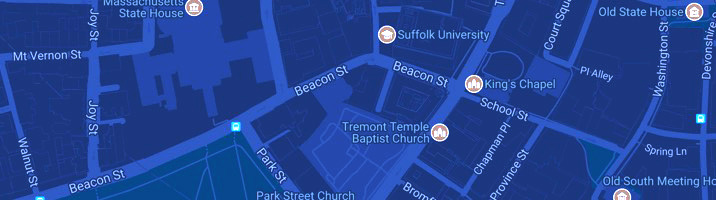
- You may also pay in person with a check at the Ram Registration and Financial Services Center located on the 6th floor of 73 Tremont Street
Credit Card
- Suffolk University accepts VISA, MasterCard, American Express, and Discover
- A convenience fee is assessed on all credit card payments
- Domestic Credit or Debit card – 3% service charge added
- International Issued Credit or Debit card – 4.25% service charge added
- Credit cards payments are only accepted online via SU Pay
- We do not accept credit card payments over the phone or in person
International Payments
Suffolk has partnered with TransferMate and Convera to provide our international students with leading cross-border payment providers. Our partners offer an easy, secure, and economical streamlined process for tuition payments.
Third Party Payments
- Embassy or Government Sponsorship
Students sponsored by governments or embassies need to submit a copy of their financial guarantee to Student Account Services, so that an invoice to the relevant billing department can be sent. - Veterans or Dependents
Students attending Suffolk University who are entitled to receive Veteran's benefits must contact the University Registrar's Office to submit the proper forms to activate their benefits.
SU Pay - Online Payments
Student account login
In order to be compliant with FERPA privacy regulations, only students or their authorized users are able to view the student account and make a payment. Parents, guardians, or bill payers must be set up as Authorized Users by the student in order to view this information.
To be set up as an Authorized User
- Students must log into their SU Pay account through the Financials Hub in Workday and view their student account
- Go to the Account Summary page and select Make a Payment. This link will take you to SU Pay
- On SU Pay, enter the email address and name for the Authorized User. An email will be sent to the authorized user with the username and password
- Once set up by the student, Authorized Users can view the student account, generate semester statements and make online payments using one of the different payment methods
SU Pay Instructions [PDF] provide you with a step by step visual for accessing, setting up, and understanding your SU Pay account.
SUPP – Suffolk University Payment Plans
Enroll in SUPP and divide each semester's tuition and other expenses into up to five monthly payments (fewer months for late enrollment) over the course of the semester. The enrollment fee for the plan is $40 or $50 based on the payment plan you enroll in.
Payment plans will be limited to one plan per student. Authorized users may set up a payment plan for their students.
SUPP is offered in all semesters. You have to sign up for the plan every semester. Payment plans are available when the semester charges are on the student’s account. Typically fall semester plans begin in July and end in November and spring semester plans begin in December and end in April. The first installment is due at sign up along with the enrollment fee.
Payment Plan Frequently Asked Questions
Who can set up a plan?
Students or authorized users can set up one plan per semester. Students must set up a parent/guardian as an authorized user before they can set up the plan. Authorized users can log into your account, set up payment plans, schedule and make payments. For instructions on setting up authorized users, please refer to our SU Pay instructions.
Please Note: Whoever sets up the payment plan is responsible for making the plan payments.
If an authorized user enrolls a student in the plan, the student will see the plan but the authorized user must make the payments. Students cannot make payments toward an authorized user’s plan.
Likewise, if a student has already signed up for a plan, their parents or other authorized users cannot sign up for another plan within the same semester and the student must make the payments toward their plan.
What payment methods are accepted?
SUPP accepts ACH (Online check) from your checking and savings account and the following major credit cards (American Express, Visa, MasterCard, and Discover).
Please note: A convenience fee is assessed on all credit card payments.
Can I schedule payments to be deducted automatically on installment due dates?
Yes, SUPP allows you set up your checking/saving account or a credit card and have money debited automatically on the plan due dates.
Do I have to pay my plan online? Can I pay in-person using a check?
Yes, you can continue to pay in person at the Ram Registration & Financial Services Center.
Please inform the staff that you are paying towards a payment plan to properly credit the payment towards your plan.
I set up a plan and my account balance changed, how do I increase or decrease the plan amount?
Please contact Student Account Services and our staff will adjust the amount of the plan.
Do I need to wait until my installment is due to pay it or can I pay smaller amounts on a weekly basis?
You can pay any amount at any time towards your upcoming installment as long as the full installment is received by your due date.
What happens if I miss an installment payment?
If an installment is late or missed, the account will be assessed a $100 late fee.
Two consecutive missed payments will result in the termination of the payment plan and the account balance will be due immediately and subject to the University's collection policy.
Accounts with unpaid balances will be prevented from future term registrations and transcript release.
Backpack Pay - 529 Plans/Outside Scholarships
529 Plans
Suffolk University uses Backpack to receive 529 payments electronically. Backpack 529 Payments are offered as a payment option through SU Pay. When you select the 529 payment option, you are directed to Backpack’s Suffolk site where you find your 529 plan and apply electronically. Important: Please use your students UID when requesting a payment (eg UID123456789). You can access the Backpack online 529 portal though SU Pay or click on the link below.
529 Plans
Outside Scholarships
Suffolk University uses Backpack to receive Outside Scholarship payments. Outside scholarships are funded by organizations or individuals other than their parents/guardians. Suffolk University encourages all scholarship providers to submit payments electronically.
Please click the button below and follow the prompts to submit your scholarship information and payment.
Submit a Scholarship
Important: Please use your students UID when requesting a payment (eg UID123456789). If your organization has questions, please contact [email protected]
International Payments
TransferMate
- International payment transfers with TransferMate are initiated on SU Pay
- TransferMate provides a streamlined and secure payment method through your student account that also reduces bank fess and improves your payment experience. With TransferMate, student can pay tuition and fees in their local currency from nearly any country.
There are numerous benefits of using TransferMate: Accurate currency conversions, competitive exchange rates, local currency payment methods, faster payment posting to your student account, Exceptional customer service. - Get started by logging into SU Pay and selecting “Make a Payment” tab, choosing TransferMate in the drop-down menu and following the prompts.
Bank Wires – Convera
Through SU Pay students and families may also initiate international wires using Convera. This option allows you to pay in your home currency with competitive exchange rates. External fees apply.